~/blog/workitout-presentation
Introducing WorkItOut — Find Your Gym Partner & Track Your Progress
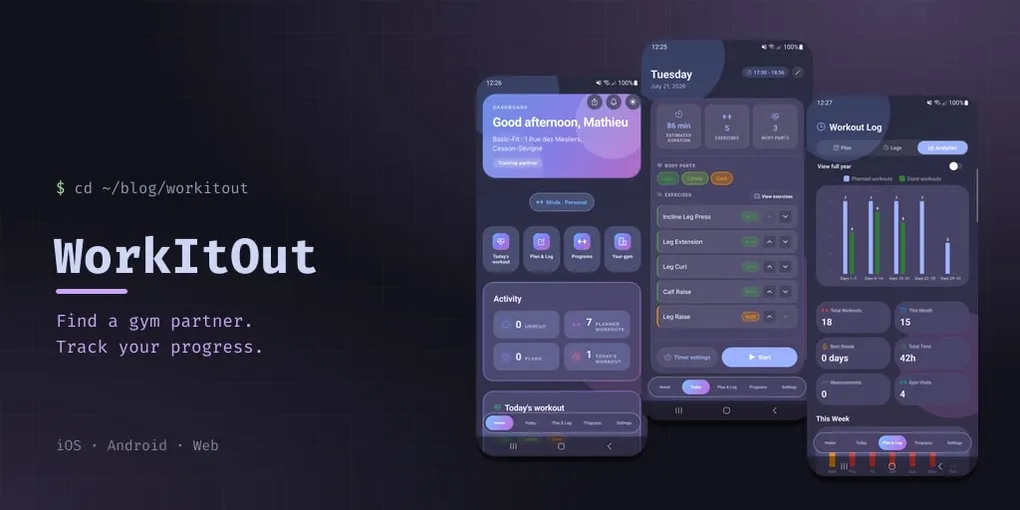
I’ve always believed that training is better with a partner. Whether it’s spotting each other on bench press, pushing through one last heavy set of squats, or keeping each other accountable for that 6 AM session — having a dedicated gym partner makes a huge difference.
That’s the vision behind WorkItOut: an all-in-one platform designed for gym goers to find training partners, create and log workouts, follow structured training programs, and build an active fitness community.
🚀 Try the Beta Apps Now!
WorkItOut is currently open for public beta testing on both iOS and Android. Download the build and start training with your community:
- 🍏 iOS (TestFlight): Join iOS Beta on TestFlight
- 🤖 Android (Google Play Store): Join Android Beta on Play Store
Two apps in one: Personal & Social modes
WorkItOut is built around a single idea — training should be both structured and social. So the app splits cleanly into two modes you can toggle right from the home dashboard:
- Personal mode focuses on your training: today’s session, planning & logging, programs, and analytics.
- Social mode focuses on people: finding partners, coordinating sessions, messaging, and discovering nearby gyms on a map.
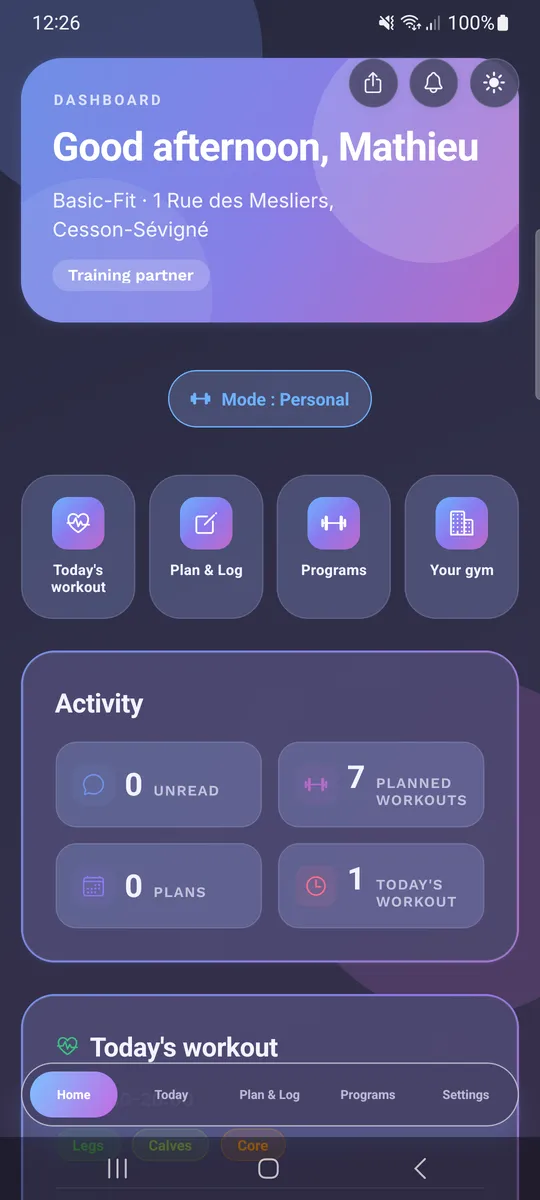
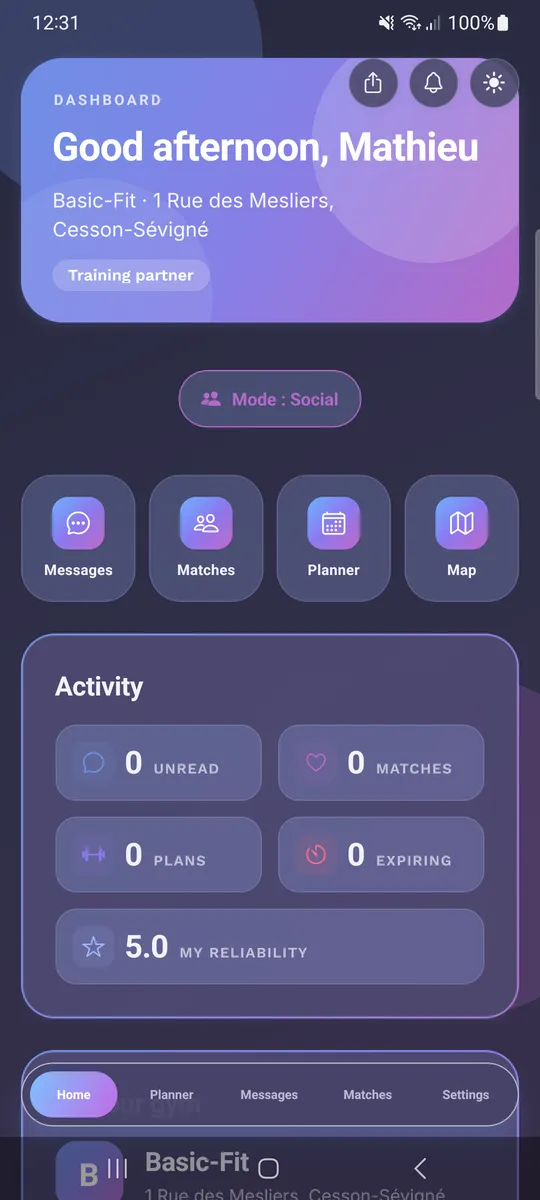
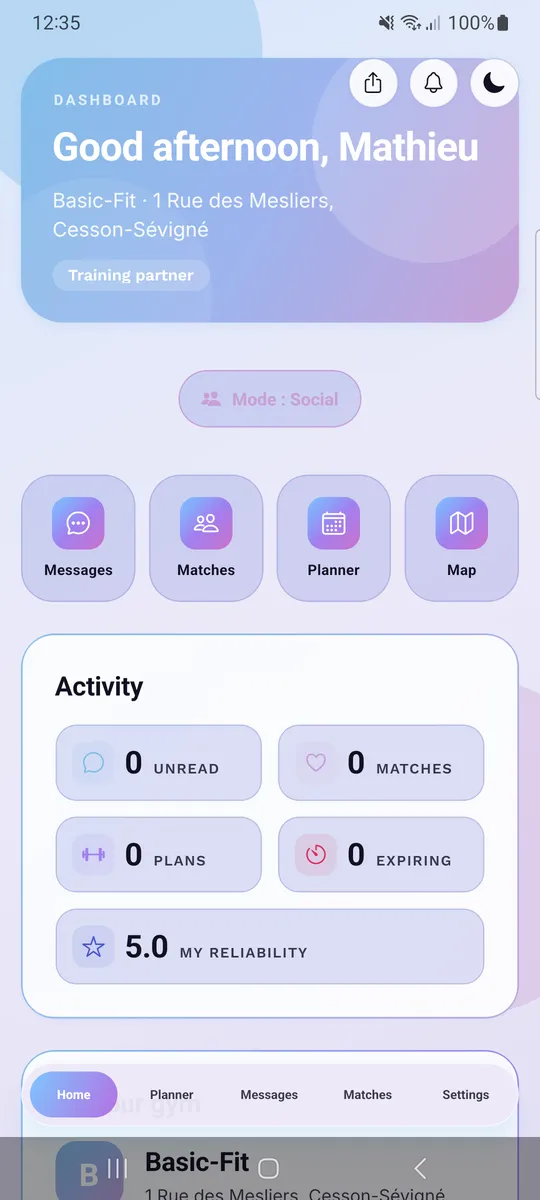
The home dashboard adapts to whichever mode you’re in, surfacing the right quick actions and activity stats. And yes — there’s a full light and dark theme, plus English, French and Spanish localization.
Personal Mode — plan, execute, track
Home dashboard
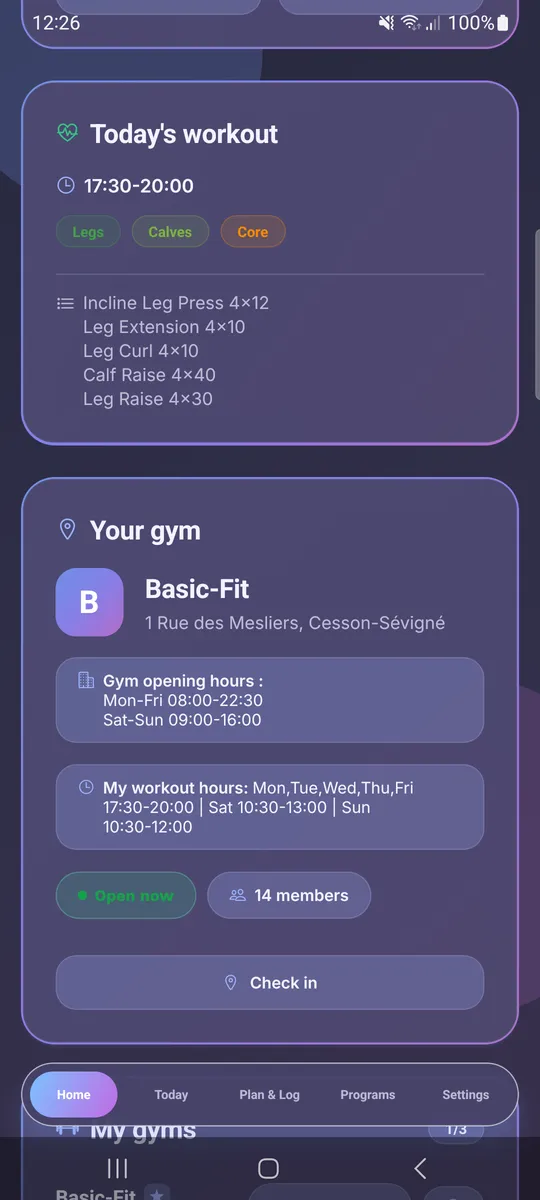
The Home tab is your personal fitness dashboard and hub. It greets you, shows your home gym, and gives one-tap access to today’s workout, planning, programs, and your gym. An Activity panel summarizes planned workouts, plans, and today’s session at a glance.
Your gym
Each gym card shows opening hours, your usual workout hours, live “open now” status, member count, and a one-tap check-in. WorkItOut supports multiple gyms — keep your favorites and switch between them.
Today’s workout
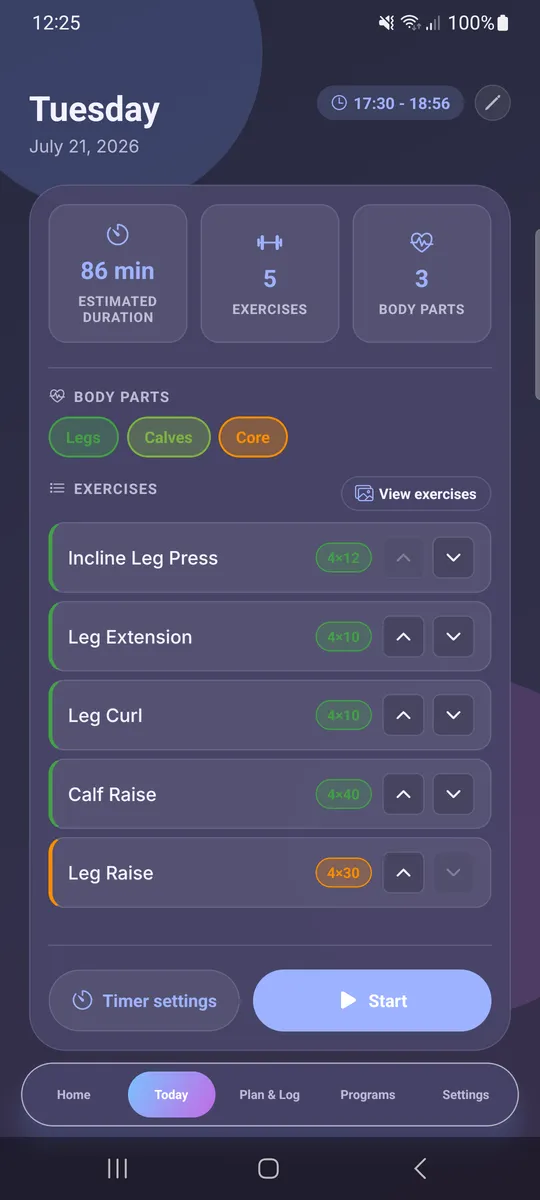
The Today view is an immediate snapshot of the session scheduled for the day: estimated duration, exercise count, targeted body parts (color-coded — Legs, Calves, Core, Chest, Back, Arms…), and the full exercise list with sets and reps. Tap Start to launch a guided, timed workout with configurable rest between sets and exercises.
Plan & Log
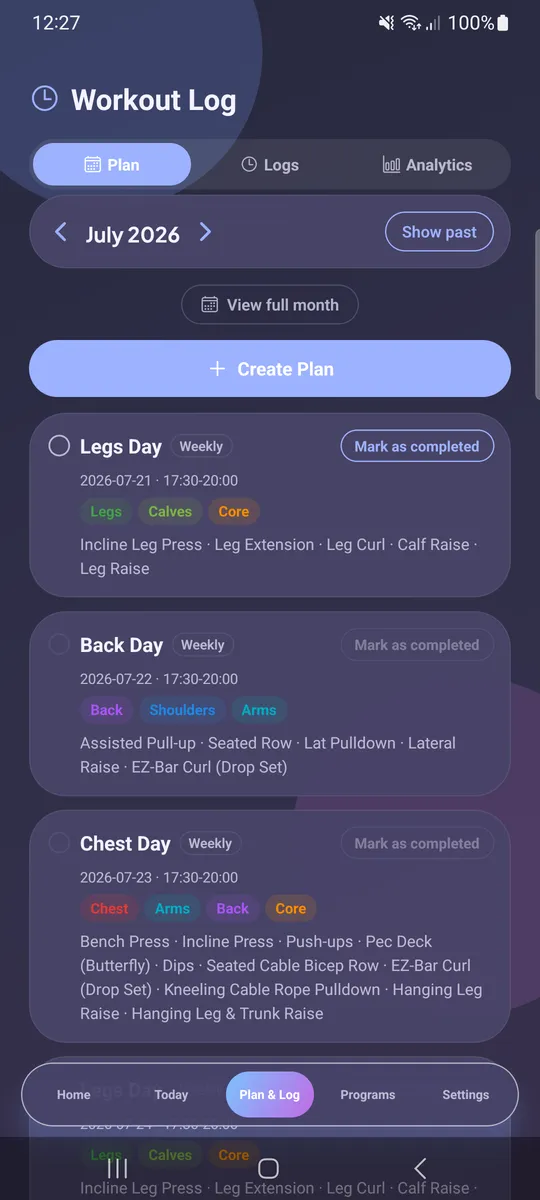
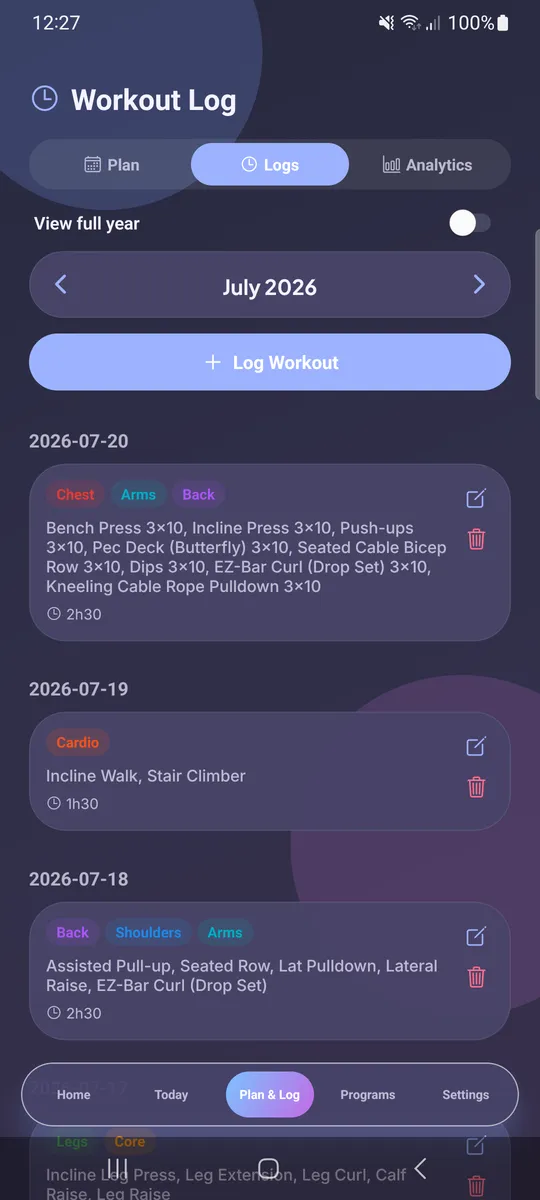
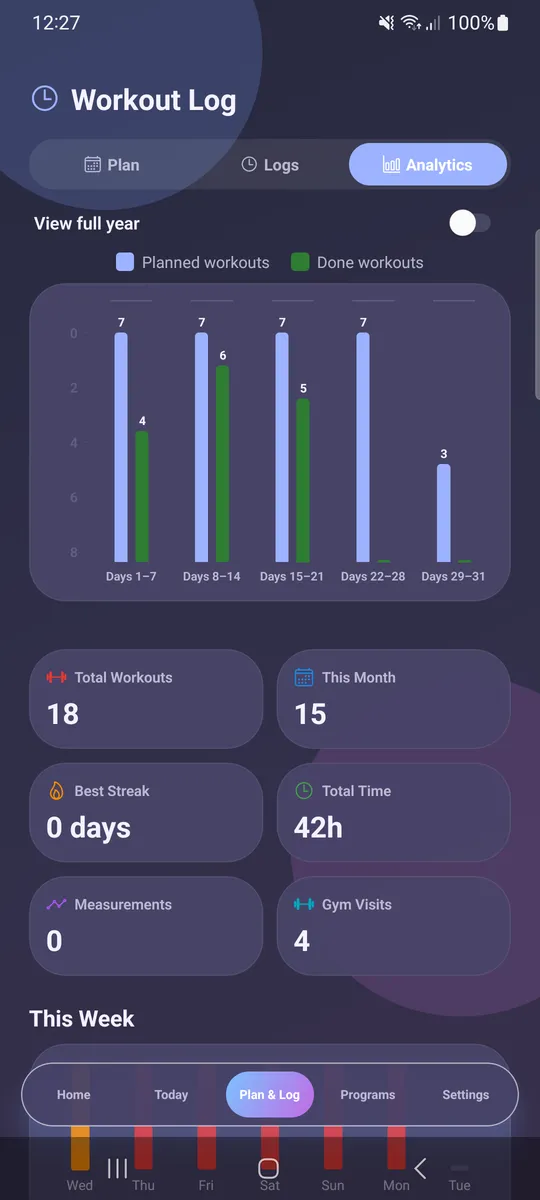
The Workout Log is a full training tracker split into three tabs:
- Plan — build a weekly or one-off plan (Legs Day, Back Day, Chest Day…), mark sessions as completed, and view the full month.
- Logs — a chronological history of everything you’ve trained, with body-part tags, exercises, sets × reps, and session duration. Edit or delete any entry.
- Analytics — a planned-vs-done bar chart plus stat tiles: total workouts, workouts this month, best streak, total time trained, body measurements, and gym visits.
Programs
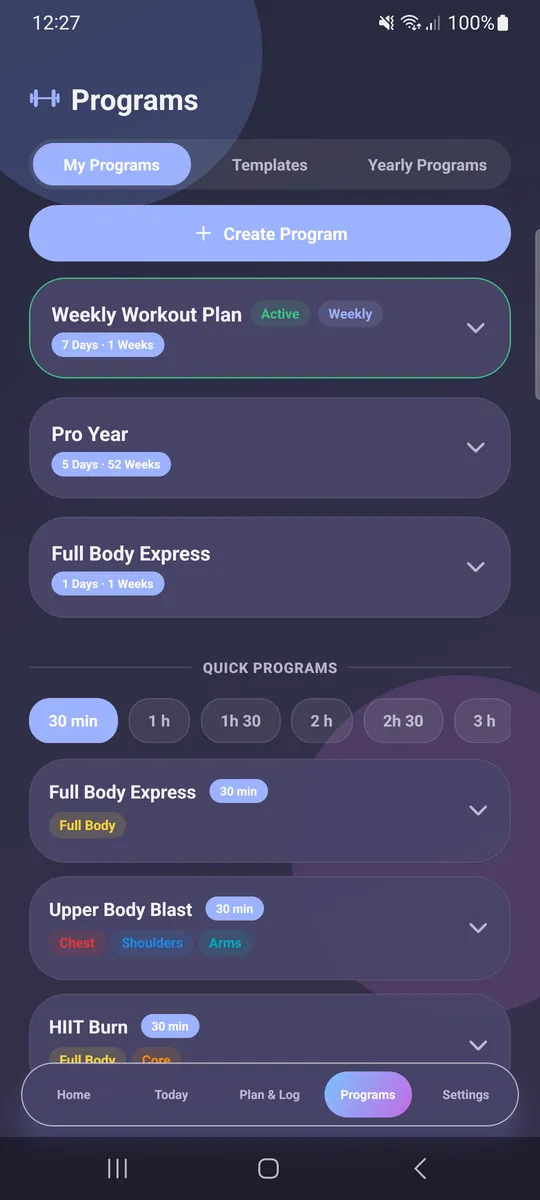
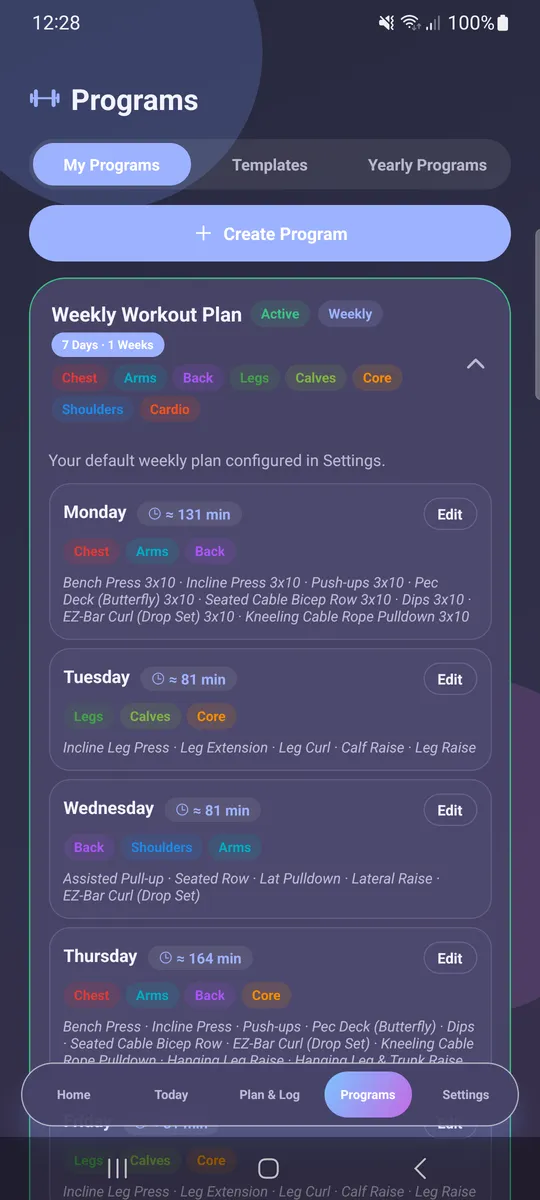
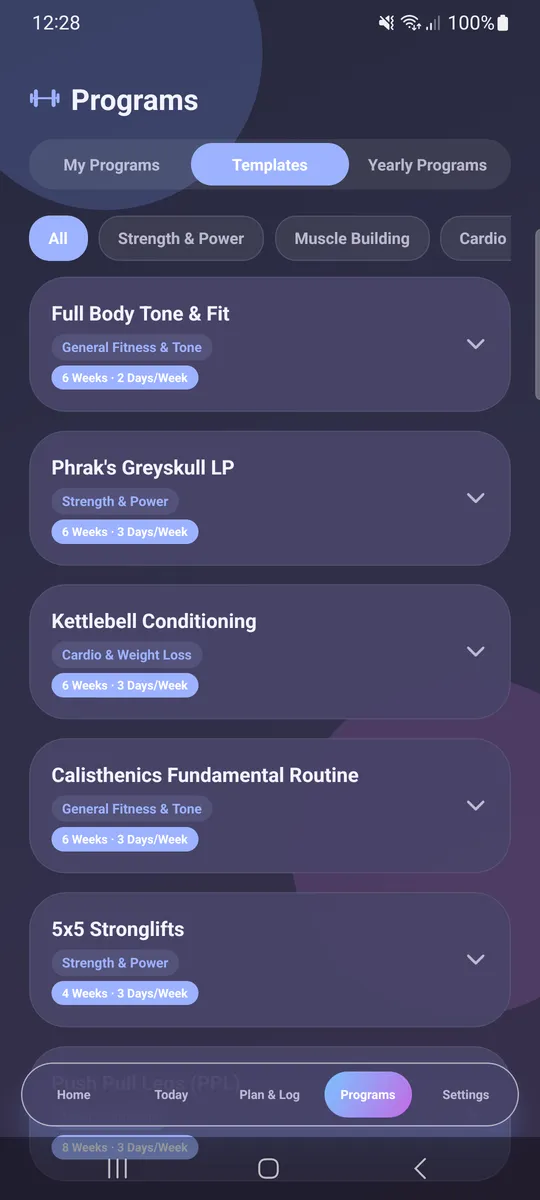
The Programs tab is where you design training splits. Create your own Push/Pull/Legs, Upper/Lower or custom multi-day splits, or start from a rich template library — Full Body Tone & Fit, Phrak’s Greyskull LP, Kettlebell Conditioning, Calisthenics Fundamentals, 5×5 Stronglifts, PPL, and more — filtered by goal (Strength & Power, Muscle Building, Cardio & Weight Loss). Expanding a program reveals its full week: per-day body parts, estimated duration, and every exercise. There are even Quick Programs you can filter by available time (30 min, 1 h, 2 h…) and yearly programs for long-term periodization.
Settings & profile control
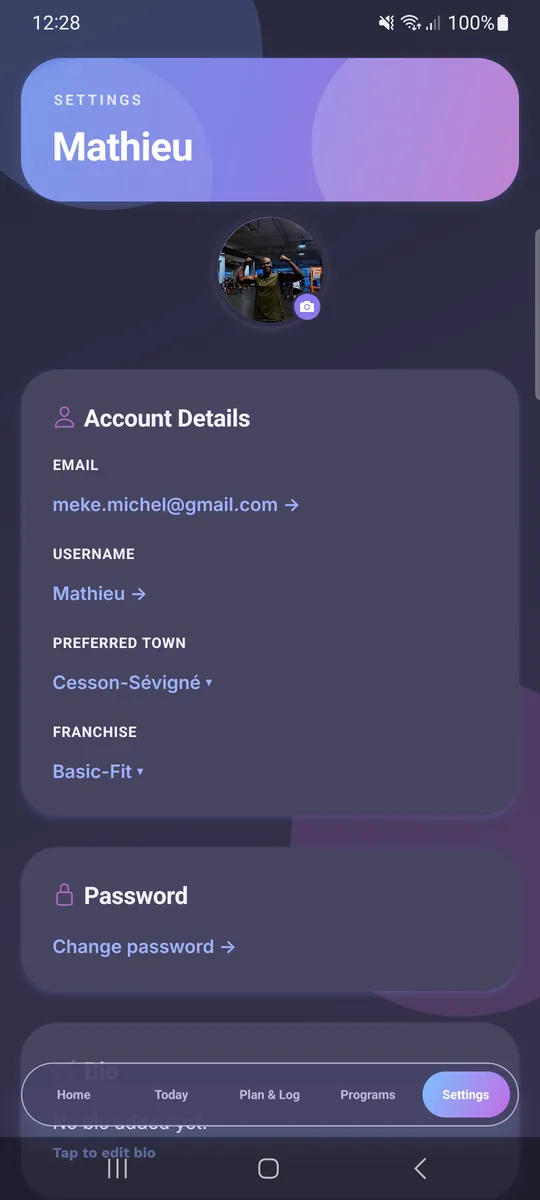
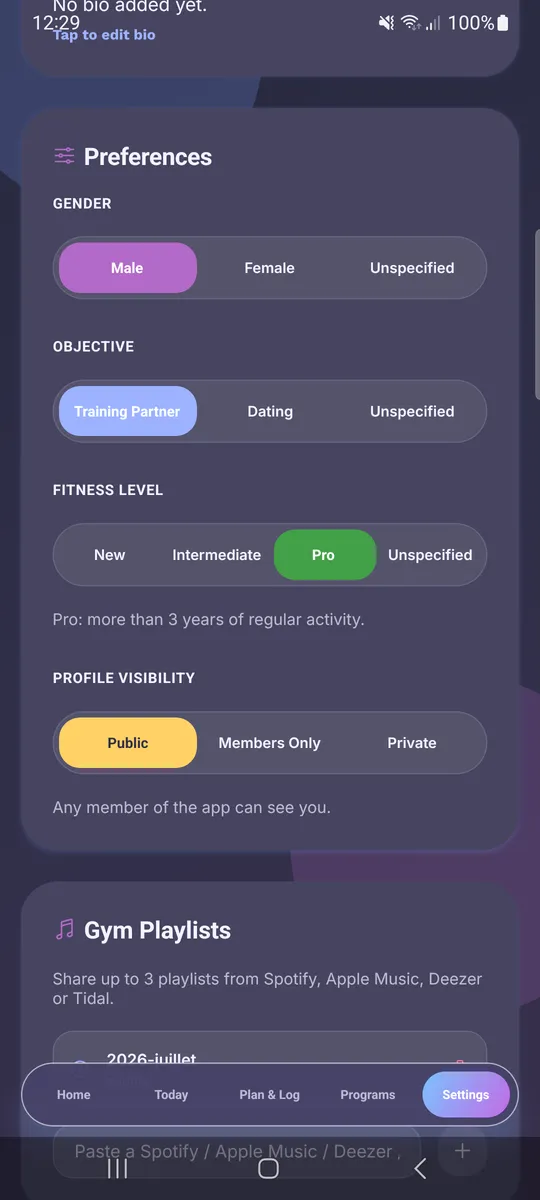
The Settings area puts full control of your data and preferences in your hands:
- Account — email, username, profile photo, preferred town, and gym franchise.
- Preferences — gender, objective (Training Partner or Dating), fitness level (New / Intermediate / Pro), and profile visibility (Public / Members Only / Private).
- Gym playlists — share up to three playlists from Spotify, Apple Music, Deezer or Tidal.
- Appearance — light/dark theme and app language.
- Weekly workout plan — set your usual schedule and choose whether to share it with members who want to invite you.
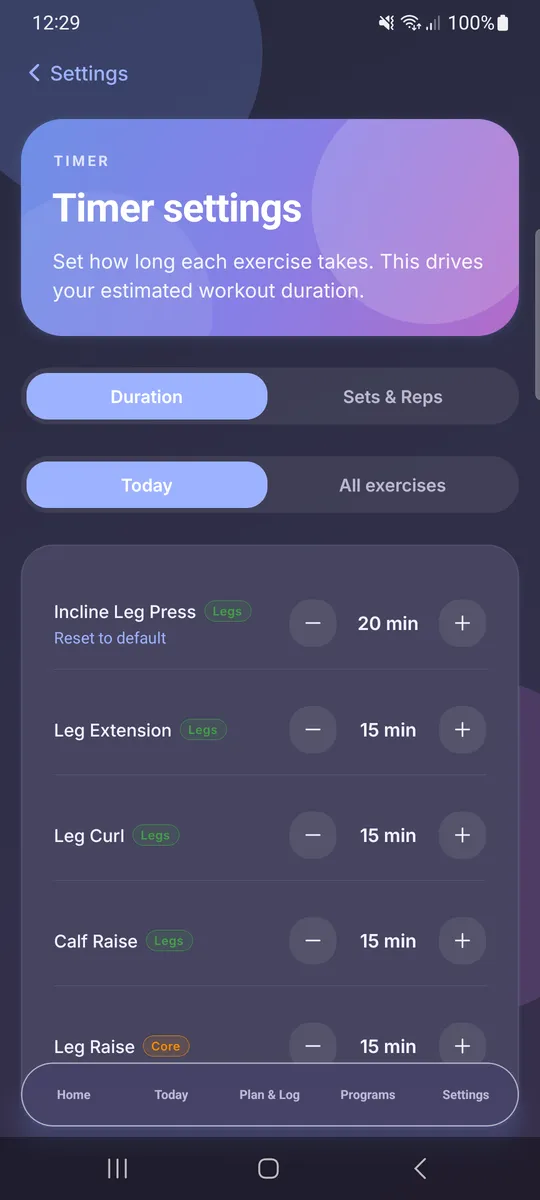
- Timer settings — fine-tune per-exercise duration and sets/reps, which drives your estimated workout duration.
Social Mode — find partners, coordinate, connect
Flip to Social mode and the whole app reorients around people. The dashboard now surfaces messages, matches, plans, and a personal reliability score — a rating that reflects how dependable you are at showing up for planned sessions.
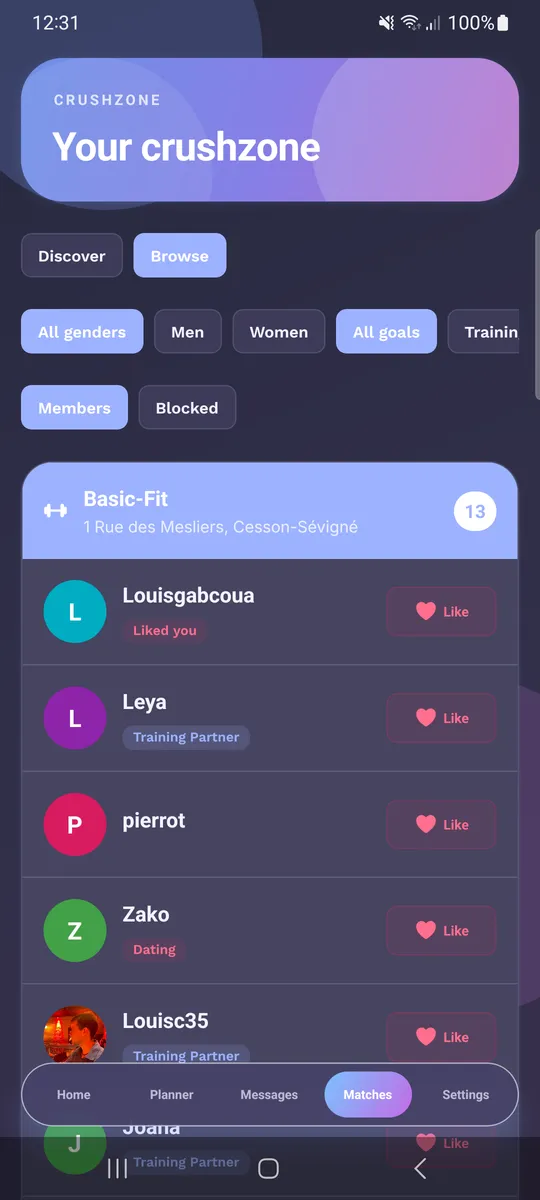
Find a partner (Crushzone)
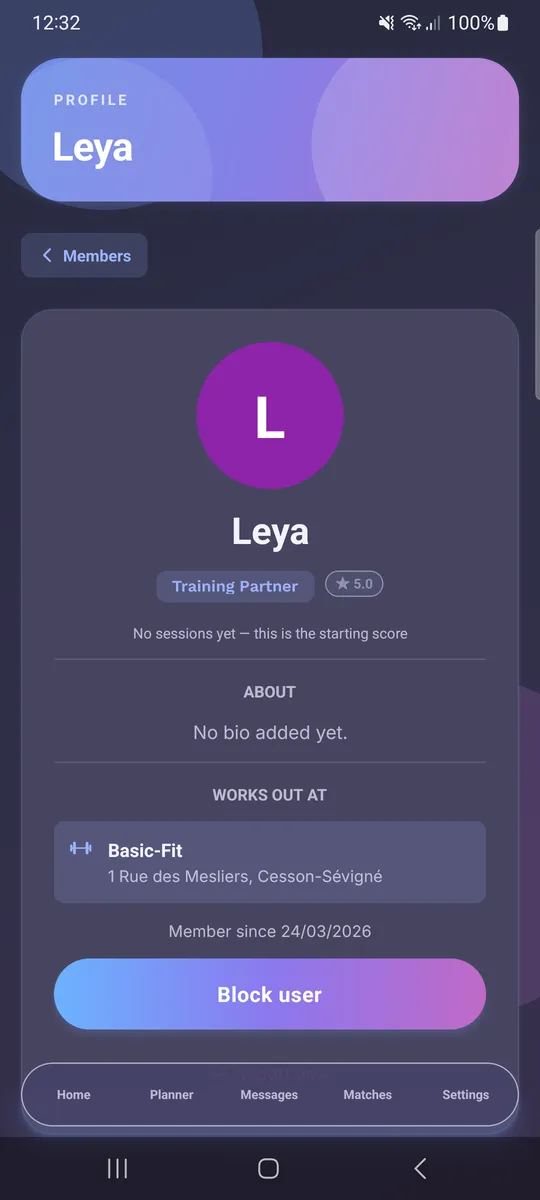
The matching screen lets you Discover or Browse members at your gym, filtered by gender and goal (training partner vs. dating). Each member shows their objective, reliability rating, and a Like button. Tap through to a full profile — bio, home gym, member-since date, and options to invite, block, or report.
Map
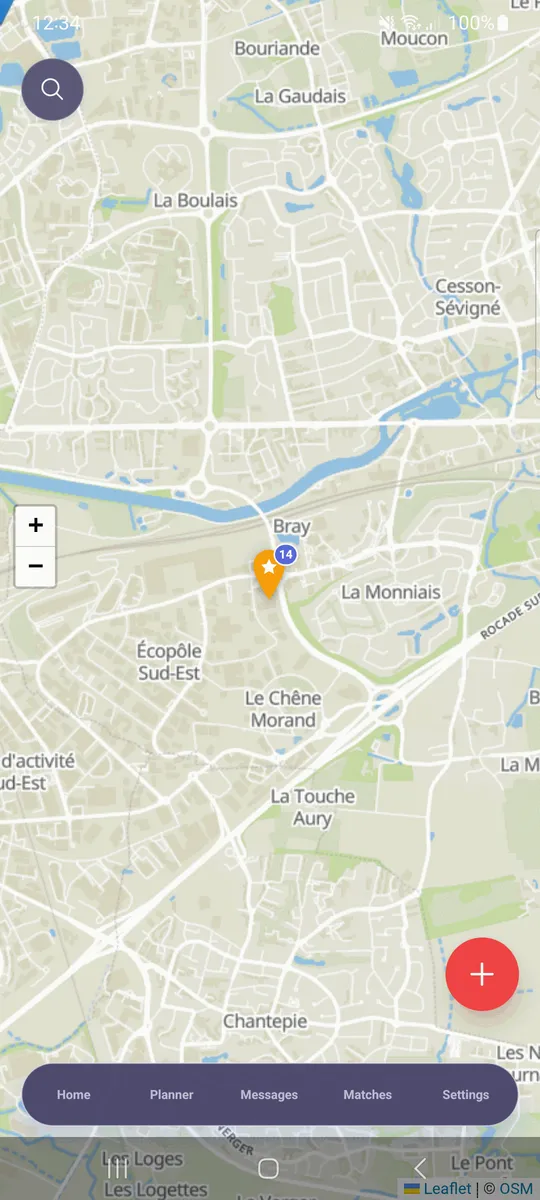
An interactive map (OpenStreetMap) plots gyms around you with live member counts, so you can find where the community trains and add new gyms.
Workout Planner
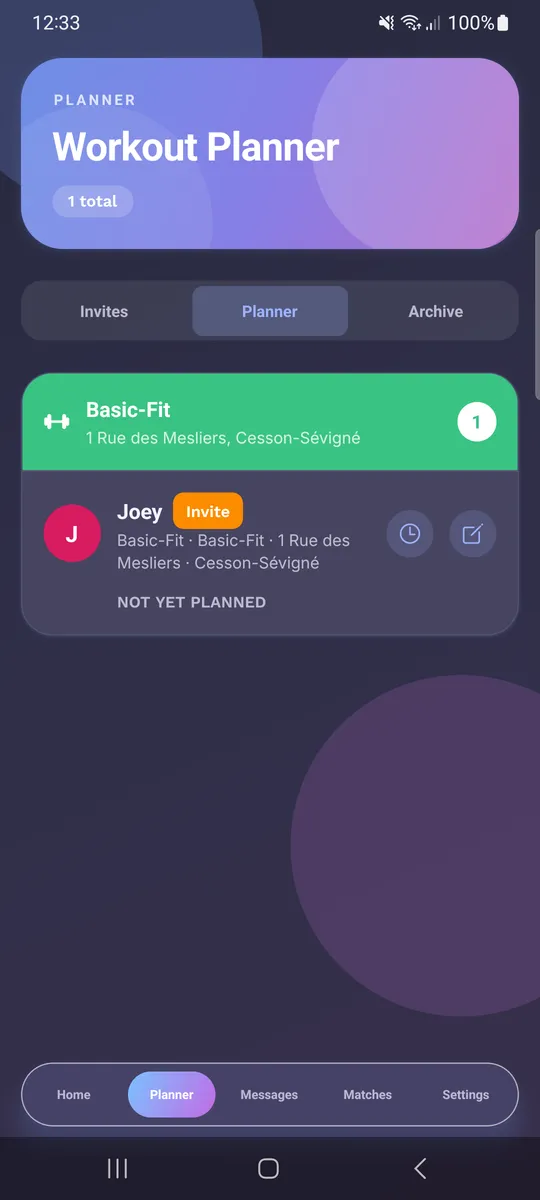
The Planner turns a match into a real session. It groups accepted invites by gym, tracks who you’re training with, and lets you schedule a shared time slot. Invites move through Invites → Planner → Archive so nothing gets lost.
Messages
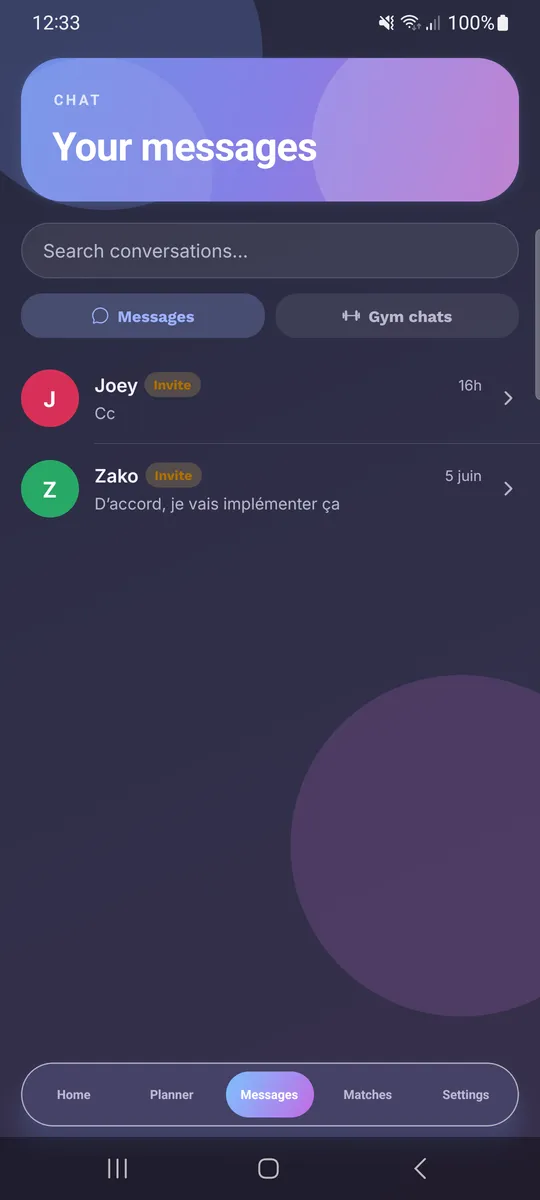
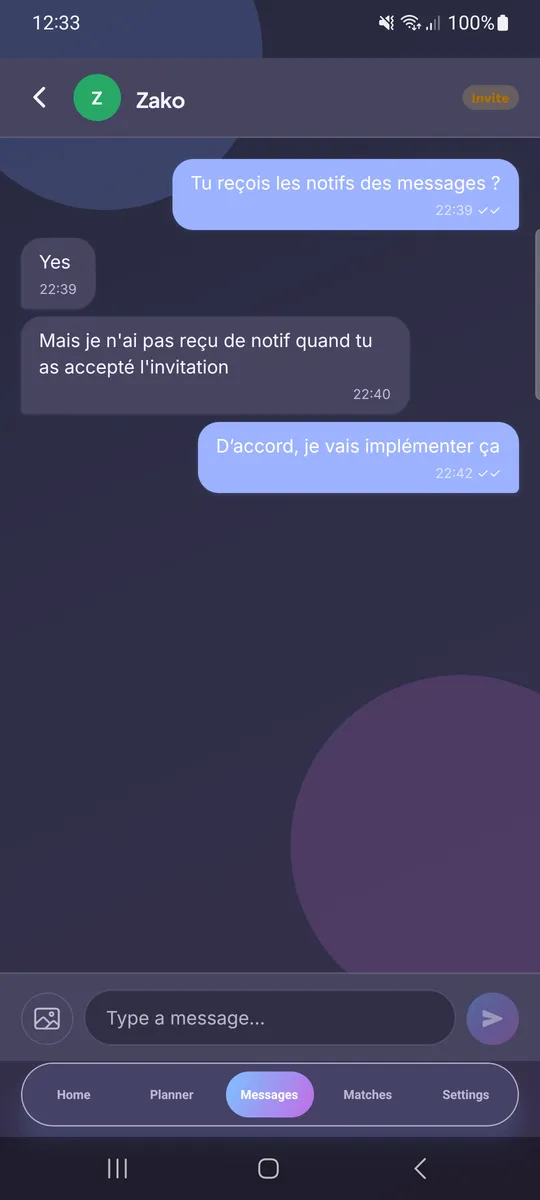
A built-in real-time chat handles both 1-on-1 conversations and gym-wide chats. Threads support read receipts and image sharing, with invite badges surfacing when a conversation is tied to a training invitation.
Coaching
Beyond peer training, members can request a coach at their gym or apply to become a coach — laying the groundwork for a structured coaching marketplace inside the community.
Technical Stack & Architecture
WorkItOut is developed for Android, iOS, and Web simultaneously using React Native and Expo, backed by a custom Node.js / Express API server.
- Unified cross-platform codebase — one codebase powers mobile and web with zero feature fragmentation.
- Fast local caching — an offline-first design keeps workout logging quick even in basement gyms with poor reception.
- Internationalized — English, French and Spanish, with full light/dark theming.
Security-by-Design Architecture
Building a social fitness platform requires a strong security posture. User locations, schedules, and private messages demand robust data protection.
WorkItOut implements security-by-design principles:
- JWT Authentication — short-lived tokens with separate dev/prod signing keys.
- Strict data isolation — unauthenticated users cannot read profiles, sessions, or chat messages.
- Granular privacy controls — profile visibility (Public / Members Only / Private) and opt-in schedule sharing put users in control.
- Zero third-party trackers — no intrusive analytics SDKs, ad trackers, or data-broker scripts.
- Hardened server environment — restricted database access, strict file permissions, and rate-limiting.
Current Status & Roadmap
WorkItOut is under active development. The current focus is finalizing native iOS and Android store releases, expanding the coaching marketplace, and enhancing community challenges and progress charts.
📱 Join the Beta Today!
Want to try it yourself? Grab the beta build and start training with your gym community:
- 🍏 TestFlight (iOS): https://testflight.apple.com/join/vhrHDaB1
- 🤖 Google Play Beta (Android): https://play.google.com/apps/testing/com.workitout.mobile
Questions or feedback? Feel free to reach out. For details on server infrastructure and homelab setups, check out my articles on building a Proxmox cluster and securing servers with CrowdSec.